Cadence turns your post numbers into a plan.
Cadence is an iPhone app for TikTok and YouTube Shorts creators that scores every post against your own history, finds your best time and day to post, and plans your next one.
Download on theApp StoreComing soon. Screenshots show sample data.
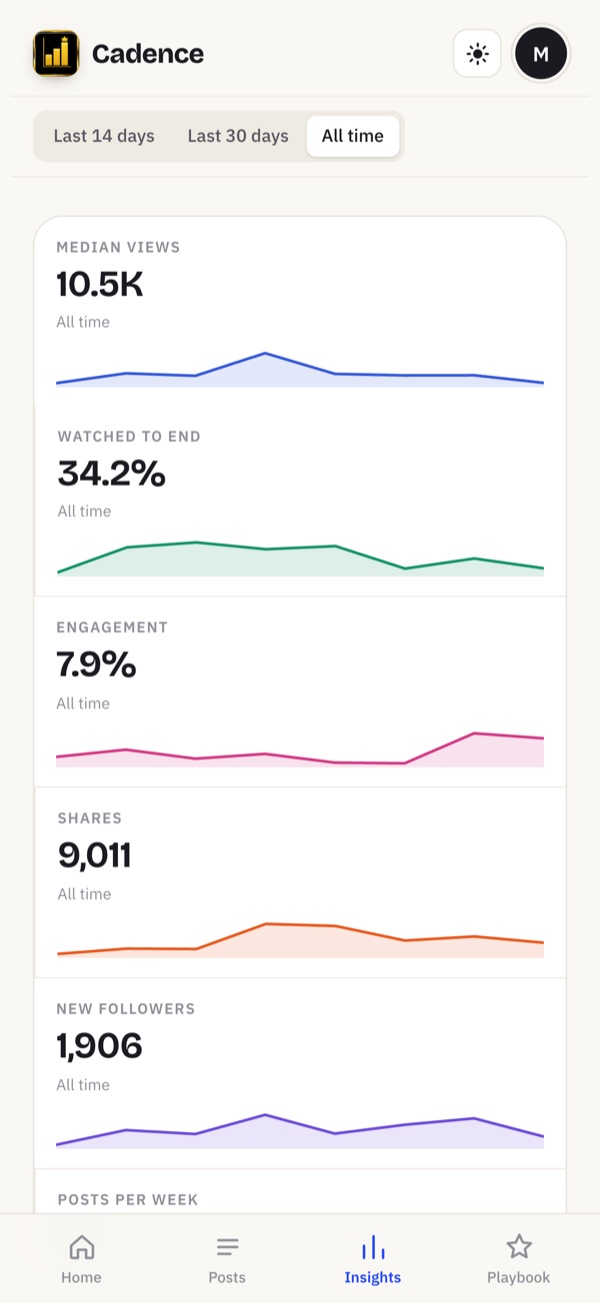
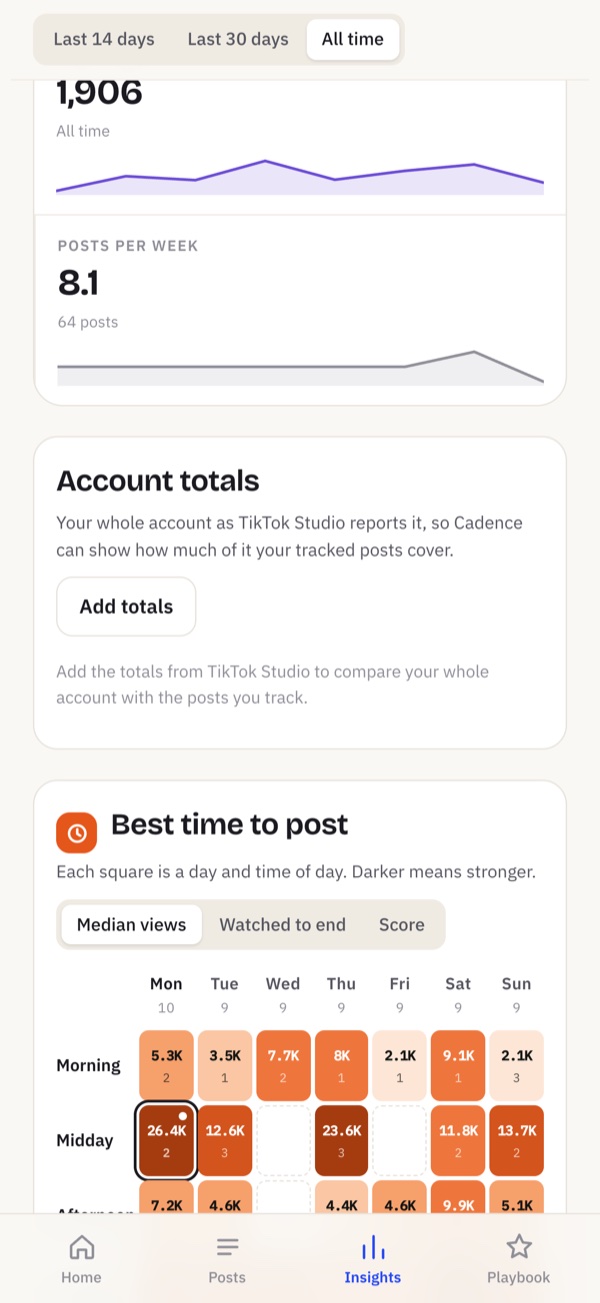
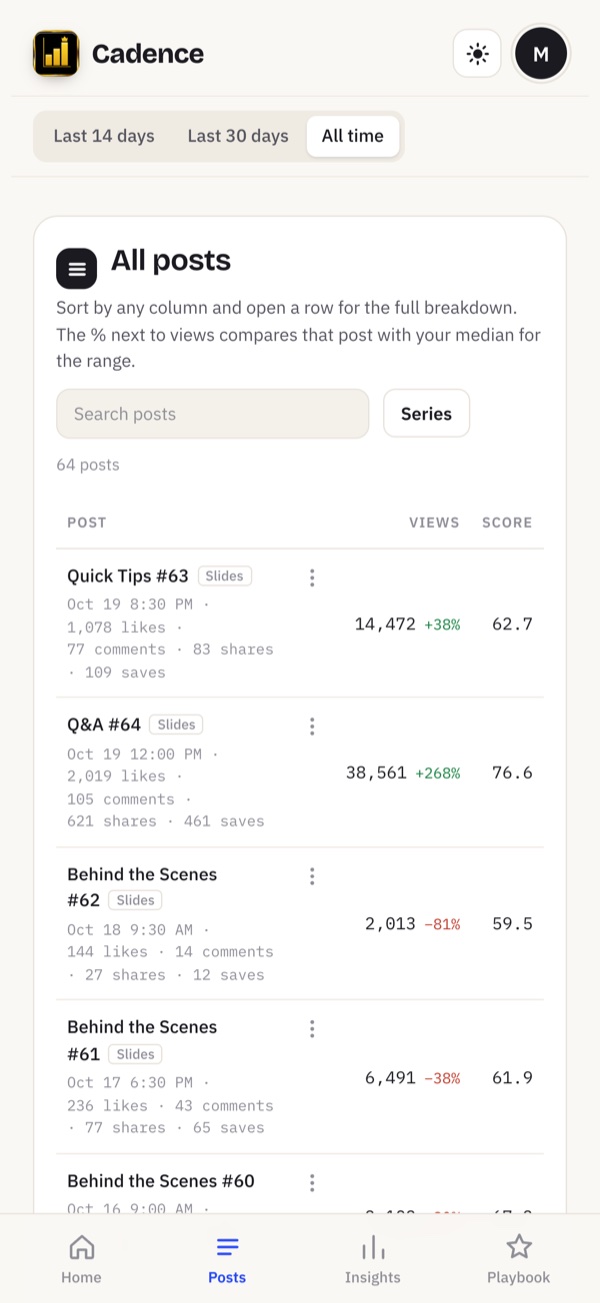
What is Cadence?
Cadence is an iPhone app for TikTok and YouTube Shorts creators that scores every post against your own history, finds your best time and day to post, and plans your next one. No more guessing which video "did well": you see what worked, what did not, and when to post next.
How it works
1. Add your posts
Type them in, import a CSV, or scan a screenshot of your analytics screen. Scanning happens on your phone.
2. See what worked
Every post gets a score against your own history, so you compare yourself with you, not with someone else's channel.
3. Post at the right time
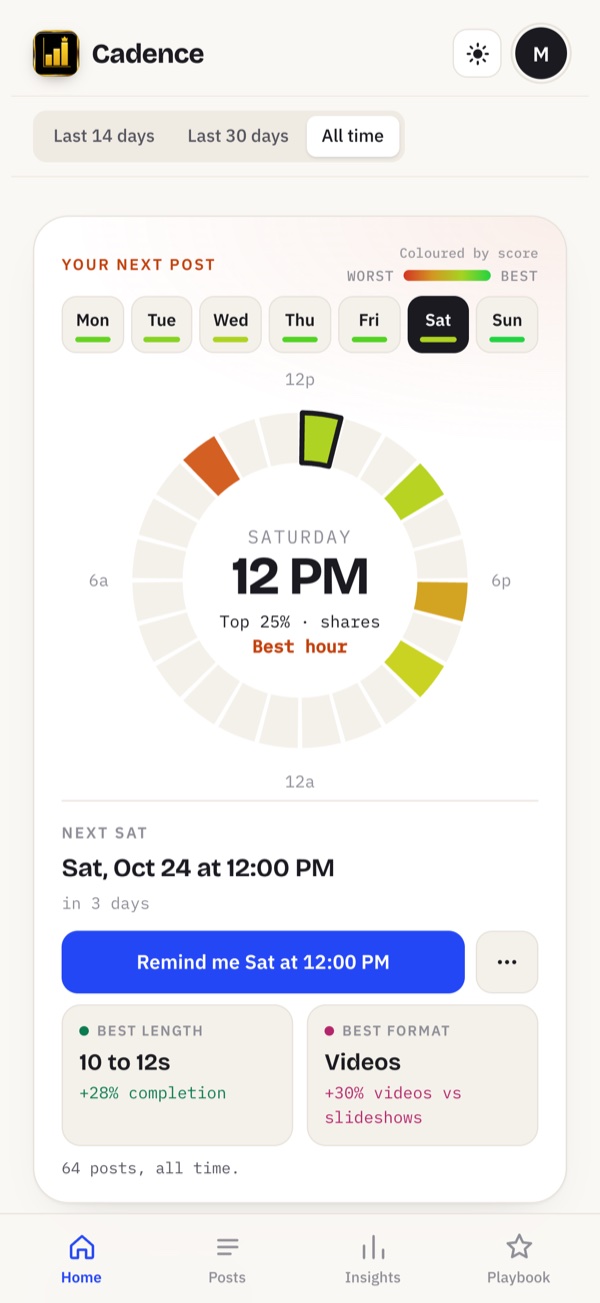
Cadence shows your best day, time and length, and what to post next.
What you get
- A score for every post, built from watch time, completion, reach, shares, saves, follows and more
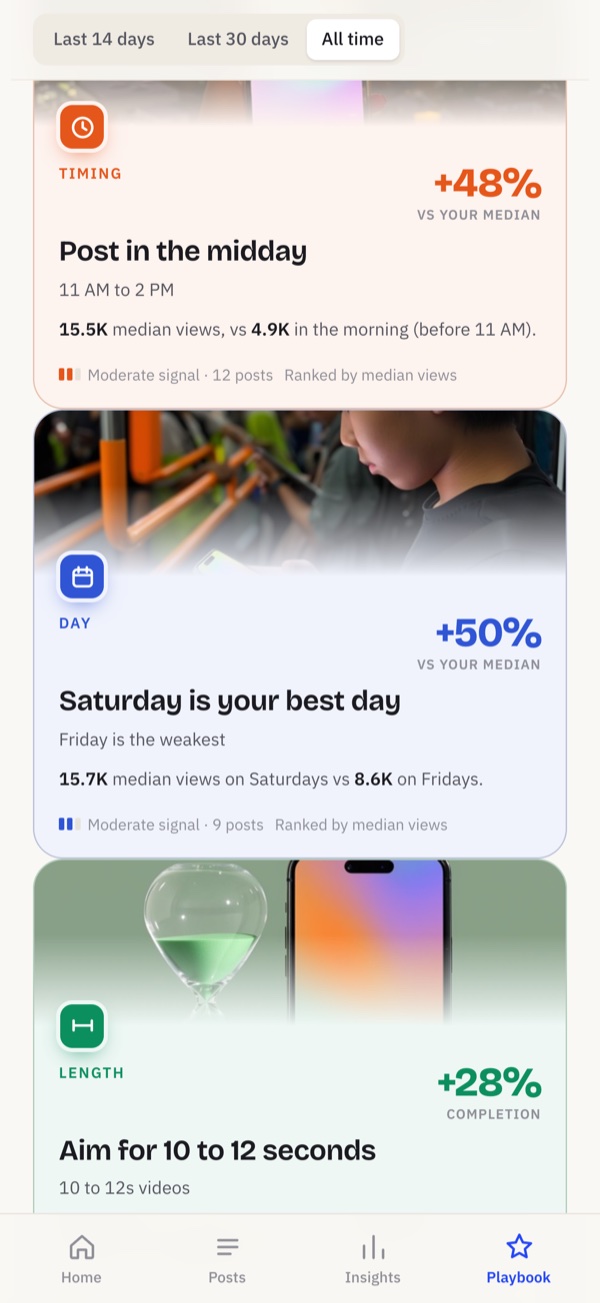
- Your best day and time to post, from your own results
- Your best video length, and the range that performs best
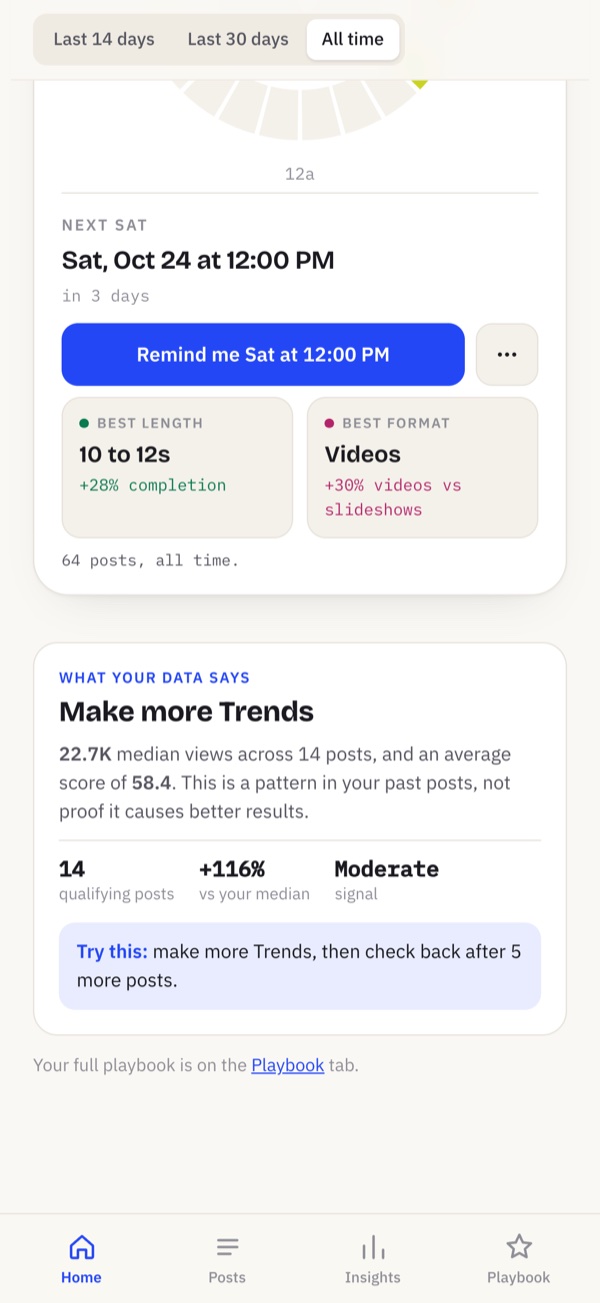
- Which series and formats earn the most, video or slideshow
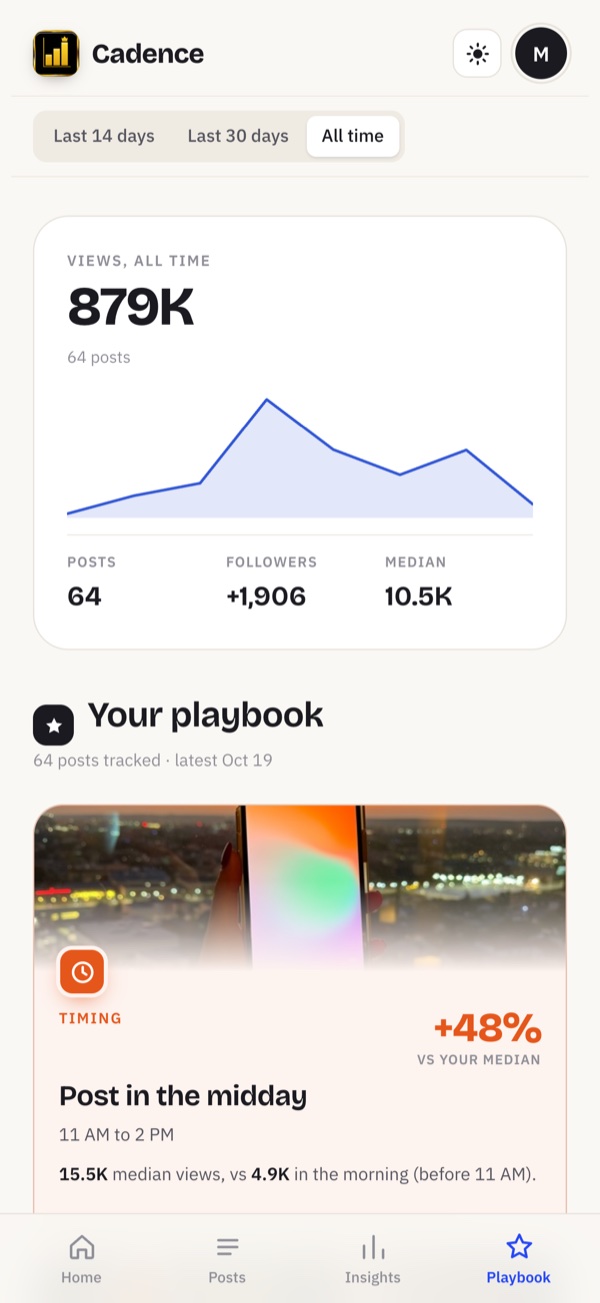
- Every post over time, tap a dot to open it
- Export everything to CSV whenever you want
- Premium: your playbook with your next best slot and plain-English recommendations
Who it is for
Creators posting short-form video to TikTok and YouTube Shorts who want to know what is working without reading a spreadsheet: solo creators, small brands, and anyone running a posting schedule.
Your data stays yours
Your posts live on your device. Screenshot reading uses Apple's text recognition on the phone. Sync is optional: your own private iCloud, or a Cadence account. If you connect TikTok or YouTube, we read only your own video statistics and never post for you. No ads, no tracking, and we never sell your data. Read the privacy policy.
Questions
What is Cadence?
Cadence is an iPhone app for TikTok and YouTube Shorts creators that scores every post against your own history, finds your best time and day to post, and plans your next one.
Which platforms does it work with?
TikTok and YouTube Shorts. You log your posts or scan a screenshot of your analytics screen, and Cadence works from those numbers.
How do I add my posts?
Fill in the form, import a CSV from Settings, or tap "Fill from a screenshot" and pick a screenshot of your analytics screen. The screenshot is read on your phone.
How is a post's score worked out?
Each post is compared with your own other posts on watch time, completion, reach, shares, saves, follows and more. Rates are adjusted for small view counts so one lucky post does not skew the result. The weights are our own estimates, not numbers any platform publishes, so a score means better or worse than your usual, not an absolute grade.
Where does my data go?
Your posts stay on your phone unless you turn on sync. Sync is optional: use your own private iCloud, or sign in with a Cadence account so your library follows you across devices. If you connect TikTok or YouTube, Cadence reads only the statistics of your own videos and never posts for you. No ads, no tracking, and your data is never sold.
Is Cadence free?
There is a free version. Premium adds your playbook: your next best slot, a recommended length and format, and plain-English recommendations. Prices are shown in the app before you buy.